Bring your personality on screen, start conversations, and turn viewers into a community. As a BoloUp Go Host, you can create live experiences, receive gifts, and earn through every interaction.

Make every stream feel like yours. Talk, entertain, share your interests, and give viewers a reason to come back.
Viewers can show their appreciation through virtual gifts while you focus on creating engaging live experiences.
Joining an agency connects you with additional guidance as you learn the platform, develop your style, and build your audience and income.
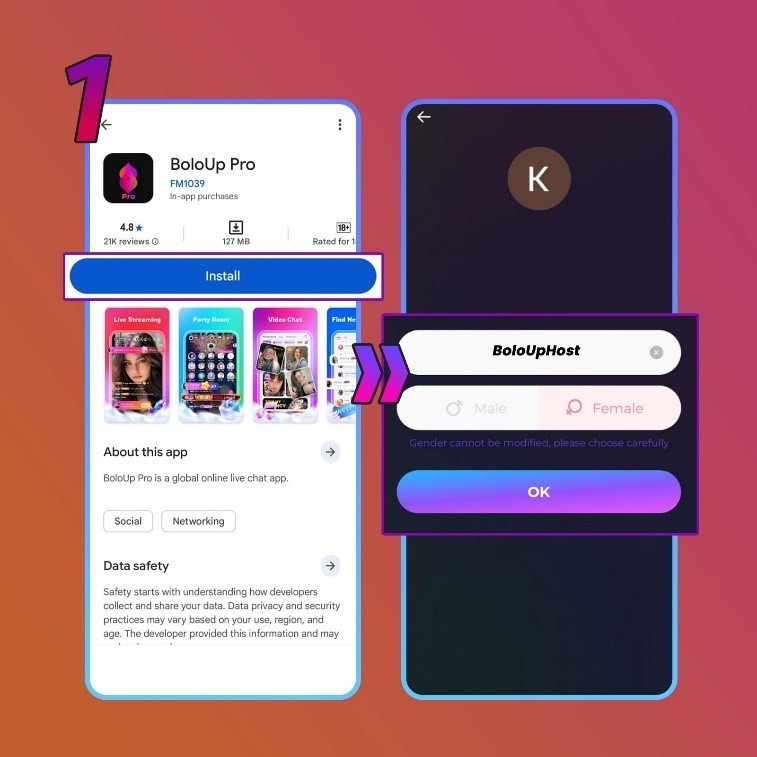
Download BoloUp and register using one of the available sign-up methods.
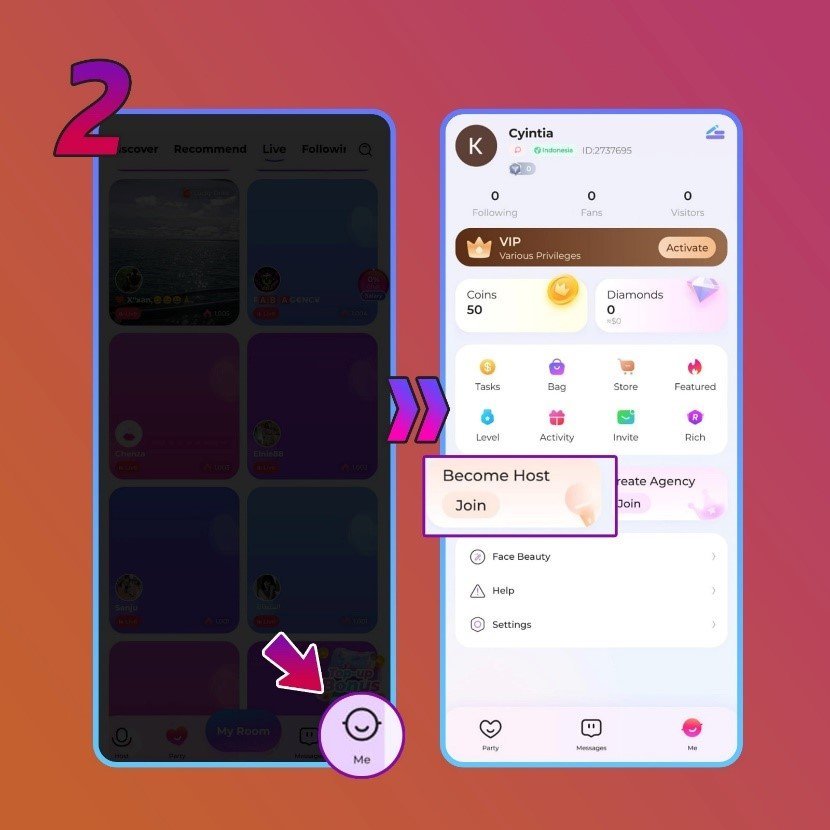
Go to your profile, find Become Host, and tap Join to start the host registration process.
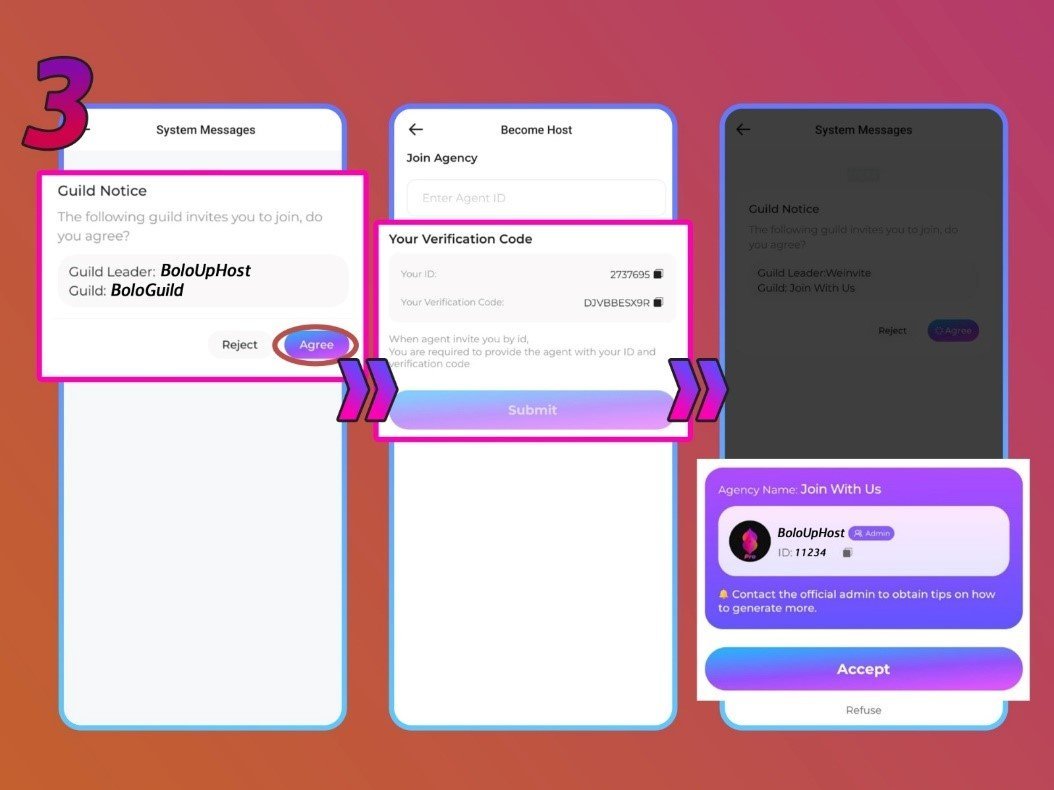
Open the Join Agency form and enter the Agency ID (2525968) provided by the agency you want to join. Check the agency details before submitting.
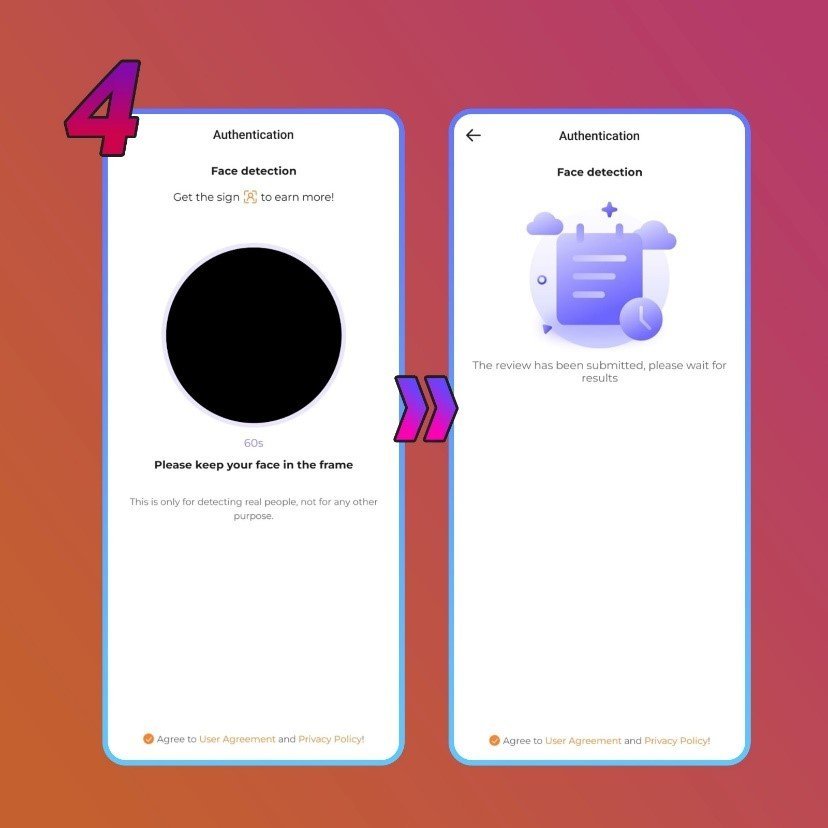
Go to the Authentication Center and follow the on-screen instructions to complete your face verification.
After your registration and verification have been reviewed and approved, your account can begin operating as a BoloUp host.
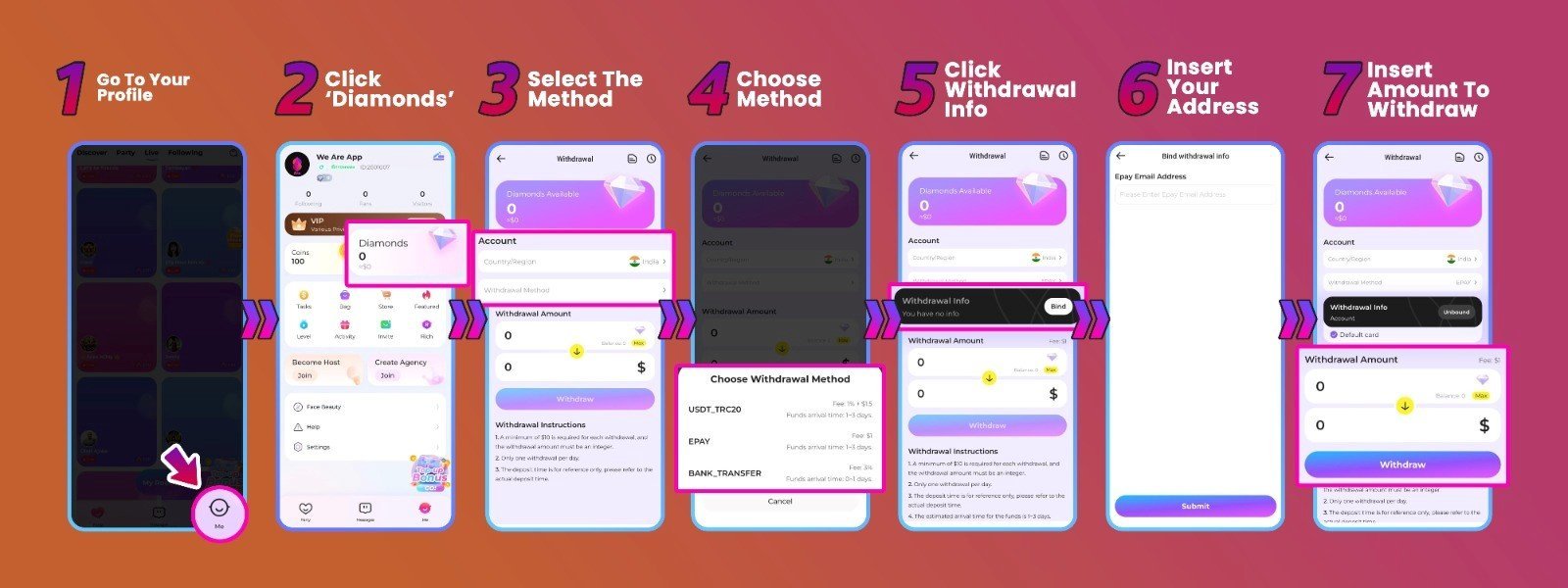
Log in to BoloUp Go and head to your profile page.
Open Diamonds to see your eligible balance and payout settings.
Select Withdraw Method and review the payout options currently available in your region.
Open Withdrawal Info and enter the required bank, e-wallet, Payoneer, USDT, or other supported payout details shown in your account.
Choose how much you want to withdraw. Your balance needs to meet the current minimum withdrawal requirement.
Double-check your payout information and amount, then submit your withdrawal request.
A BoloUp Go Host creates live content and interacts with viewers in real time. Hosts can chat, entertain, share their interests, build an audience, and receive gifts.
The current Host registration process includes joining an agency by entering an Agency ID before completing account verification.
Hosts can receive virtual gifts from viewers during their live sessions. Other rewards or incentives may depend on current BoloUp Go and agency program rules.
Yes. Eligible Hosts can request withdrawals directly from their account once their balance meets the applicable requirements.
BoloUp supports several payout options, including bank transfer, e-wallet, Payoneer, and USDT in supported regions. The options shown in your account depend on your location.