Prefer building a team instead of the livestreaming spotlight? As a BoloUp Go Agent, you can recruit promising Hosts, guide them, manage your team, and create earning opportunities with the team you build.

Find creators with potential and bring them together under one agency you can manage and develop over time.
Your progress as an Agent is connected to eligible activity from the Hosts and network you manage, giving team growth a real purpose.
Help Hosts understand the platform, stay active, solve challenges, and build stronger live experiences for their viewers.
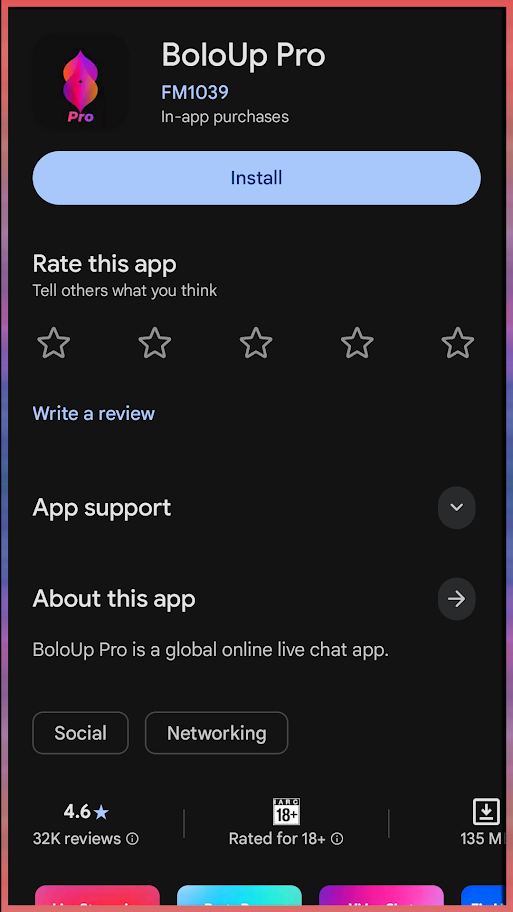
First, install BoloUp Go from the Play Store or App Store
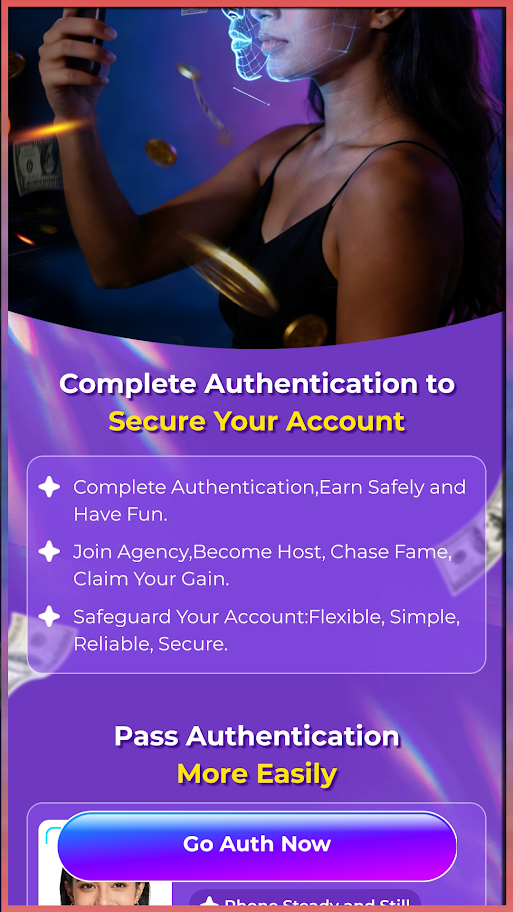
Set up your account information and complete the face verification process when required.
Use the agency registration link provided right here and check the invitation or notice inside BoloUp.
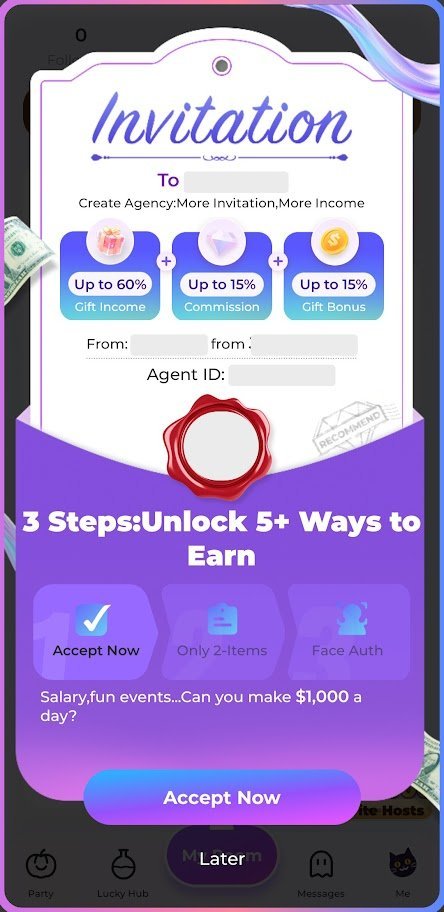
Review the agency information and confirm that you want to continue with the registration, add your agency details once you accept the invite.
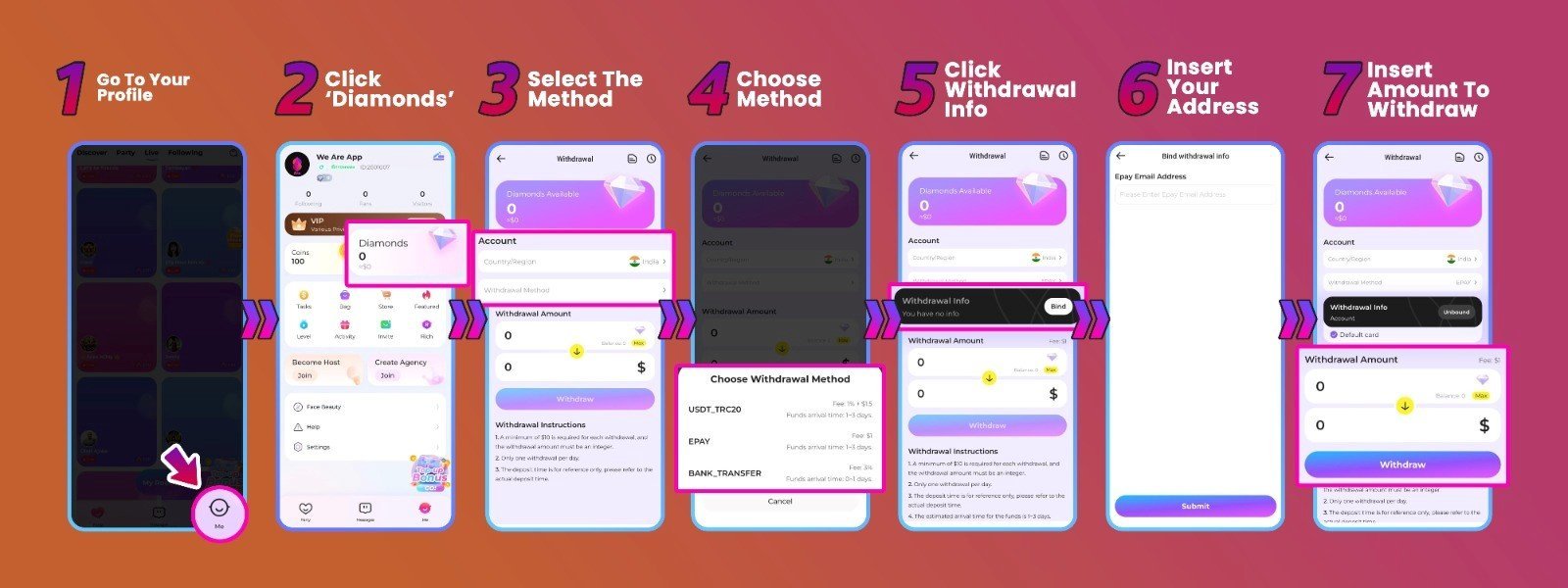
Log in to BoloUp Go and go to your profile page.
Tap Diamonds to view your eligible balance and withdrawal settings.
Open Withdraw Method to see the payout options currently available for your account and region.
Select one of the available methods, which may include bank transfer, e-wallet, Payoneer, or USDT depending on your location.
Tap Withdrawal Info and carefully connect the payout account you want to use.
Choose the amount you want to withdraw. Make sure your eligible balance meets the current minimum withdrawal requirement.
Check the amount and payment information one more time, then tap Withdraw to send your request.
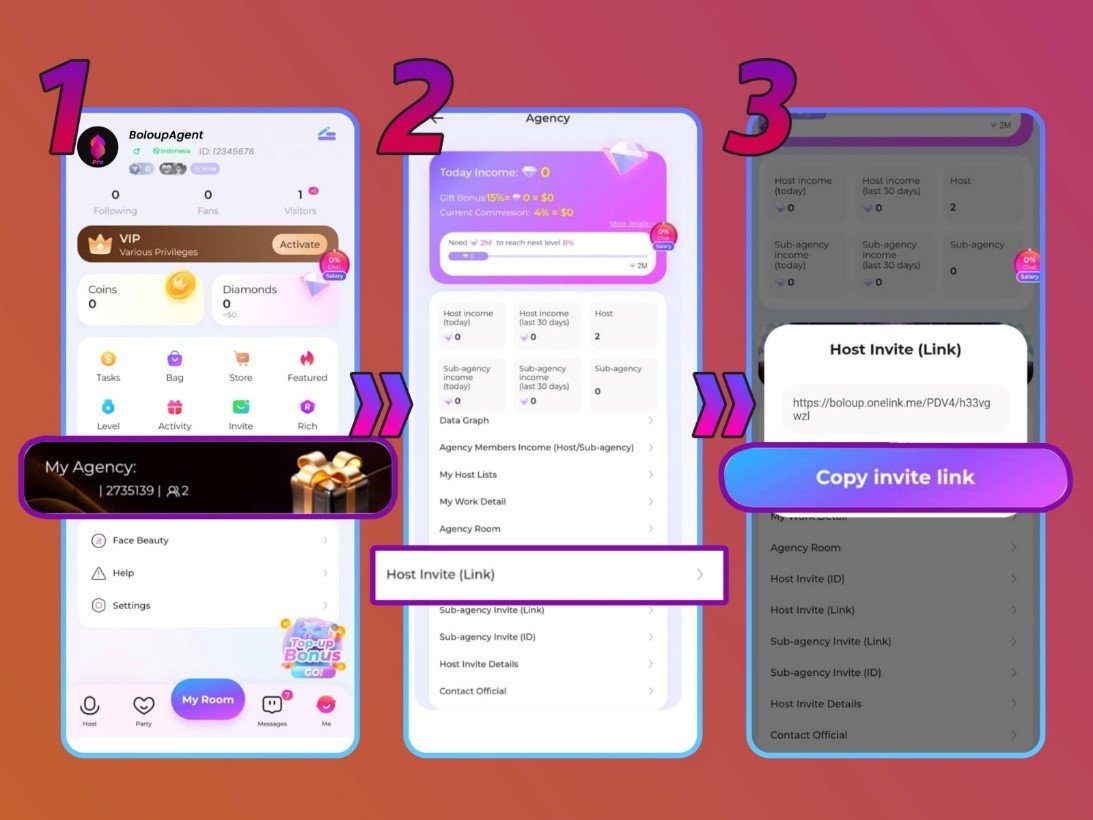
Go to your profile and tap My Agency to enter your Agent dashboard.
Select Host Invite (Link) to generate an invitation for potential Hosts.
Copy the link provided by BoloUp Go and share it with potential hosts
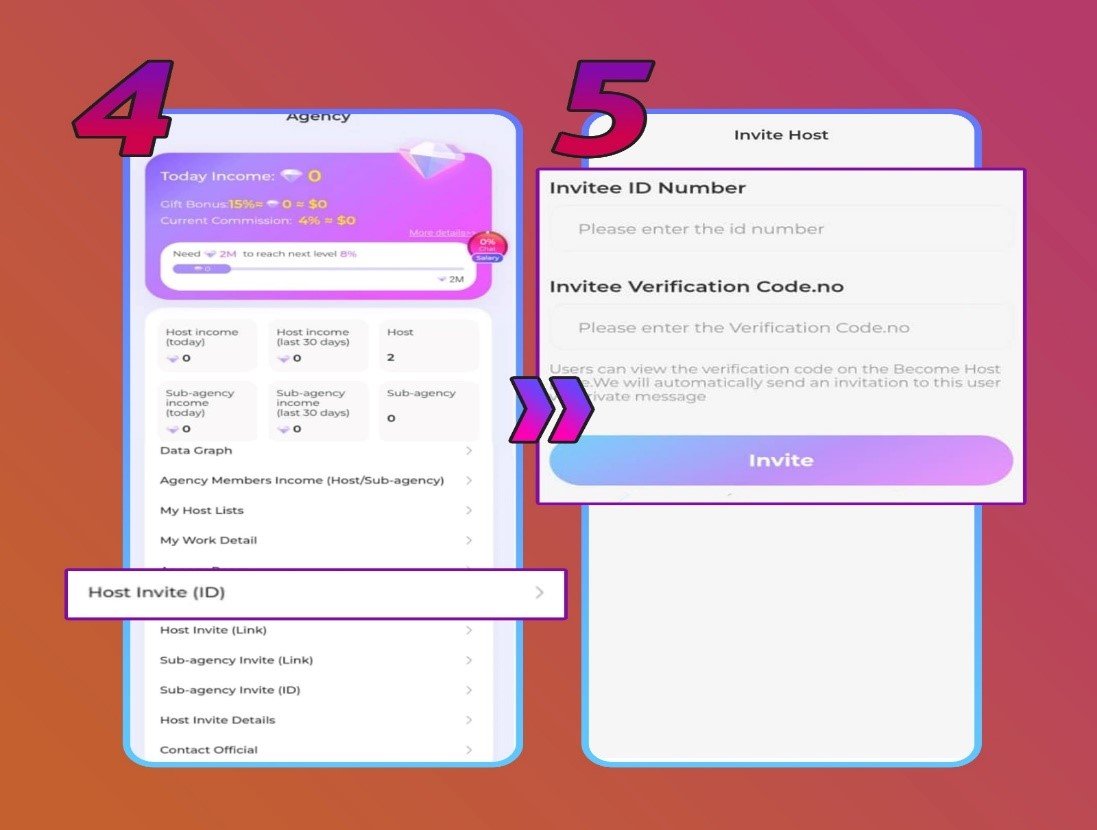
For a direct invitation, choose Host Invite (ID) instead.
Add the Host ID and verification code provided by the Host, check that the information is correct, and submit the invitation.
A BoloUp Go Agent focuses on recruiting, managing, and supporting Hosts. The role is less about being on camera and more about helping a network of creators stay active and grow.
Agent earnings can come from eligible commissions connected to Host activity, Host earnings, and other network activity covered by the current BoloUp agency program. Actual earnings depend on performance and applicable program rules.
Not immediately. A Host who is already part of another agency must first complete the process of leaving that agency before joining a new one.